Cable break in the cable carrier?Usually the cable is not the cause.
Cables that break in a cable carrier are usually not bad cables. They are too tight, bend too sharply, are not secured properly or are not made to move. A new cable only solves it for a while.
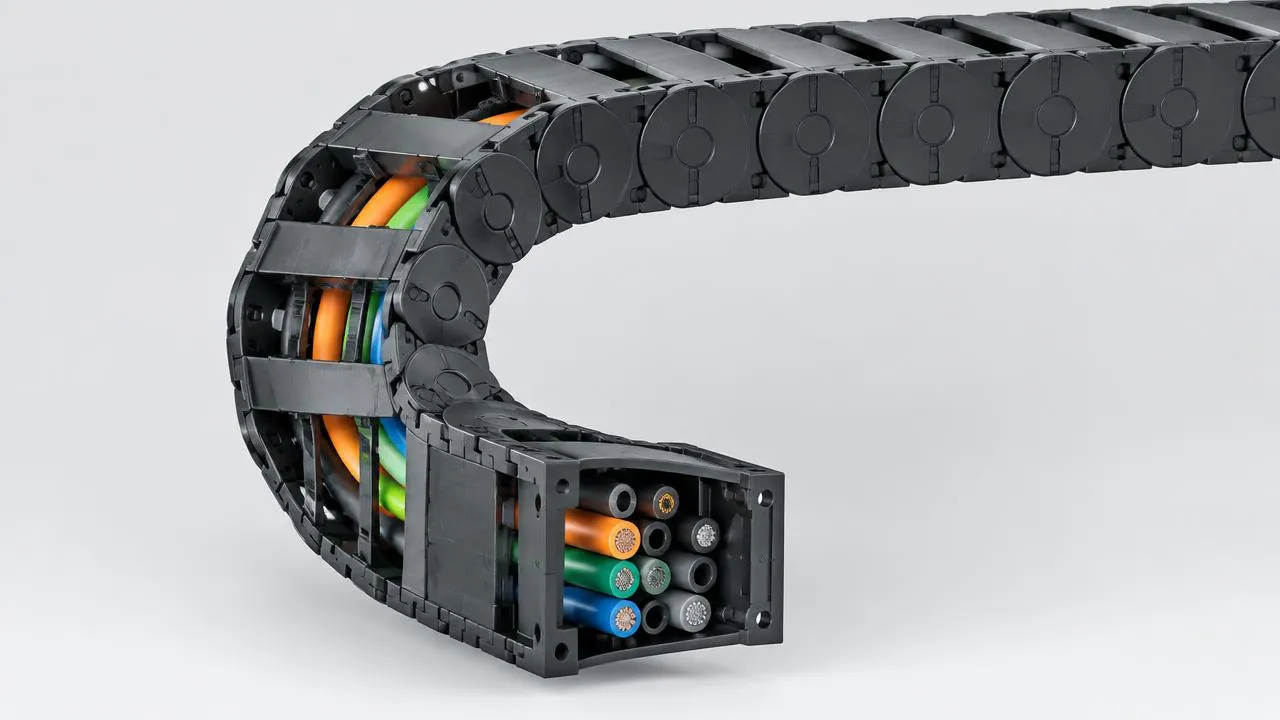
Does the machine regularly fail because of a signal or power supply? Have it checked before a cable break causes a bigger fault or damage.
Symptoms
Do you recognise this?
- Intermittent or dropping signals from encoders and sensors
- Motors or lighting that fail now and then
- Visible break or bulge in the sheath
- Cables that lie twisted or pushed up in the carrier
You can check this yourself
- What bending radius does the carrier have and what does the cable datasheet require?
- Is the cable suitable for use in a cable carrier?
- Do the cables lie loosely side by side or pressed against each other?
- Are the cables fixed at both ends with strain relief?
Causes
What it is usually down to
Often several causes play a role at once. We look at the carrier, the installation and the movement together.
Let us take a look Do you already know which part is broken? Request it straight away01Bending radius too small
Every cable has a minimum bending radius for moving use. If the carrier radius is below that, the cores will break sooner or later. As a guideline we keep to at least 7.5 times the thickest cable diameter; for many cables 10 times is better.
02No cable for moving use
A standard installation cable is not made to bend millions of times. A carrier needs highly flexible cables.
03Too little space in the carrier
Cables pressing against each other or the wall chafe and are squeezed in the bend. A carrier must leave room around every cable.
04Not fixed properly
Without strain relief at both ends, the cable creeps back and forth in the carrier and starts to twist.
05Cables and hoses mixed together
Without dividers, thick and thin cables lie on top of each other and damage each other.
Step by step
Fix it yourself
Have a fitter in house and want to do it yourself? This is the order we follow too.
- Level
- For a technician
What you need
- A replacement cable suitable for moving use
- Tool for the strain relief
- An electrician for connecting
Safety first. Only work on a machine that is stationary, de-energised and locked out against switching on. Secure axes that can move or drop. Follow your company's safety rules.
- (01)
View cable path
Open the carrier and see where the cable is damaged. If the damage is always in the same place in the bend, the radius or the layout is the cause.
- (02)
Compare radius
Look up the minimum bending radius in the cable's datasheet and compare it with the bending radius of the carrier. With the bending radius calculator you can see straight away whether it fits.
- (03)
Check layout
Do cables lie on top of each other or press against each other? Heavy cables belong on the outside, light ones on the inside, with dividers in between.
- (04)
Laying in without tension
Unroll the new cable without pulling it off the reel and lay it in straight, with a little room in the length.
- (05)
Strain relief on both sides
Fix the cable at the driver and at the fixed point, not in the carrier itself. That way the carrier absorbs the movement and not the cable.
When to stop
Is the carrier's radius smaller than the cable allows, or was the cable not made for moving use? Then a new cable of the same type will not solve it.
Solution
Prefer to have it fixed? This is how we do it
Not just replacing, but making sure it does not happen again.
- 01Map out the cable package
- All cables and hoses with their diameter and minimum bending radius in one list.
- 02Redo layout
- With dividers and, where needed, a shelf, every cable gets its own place and enough room.
- 03The right cable and radius
- Where necessary, highly flexible cables and a carrier with a radius that suits the cables.
- 04Strain relief on both sides
- Cables are secured at the fixed point and the driver, so they do not creep.
Range
Series that prevent this
Frequently asked questions
About: cable break in the cable carrier
Troubleshooting guide
Other faults
Fault
Prefer us to
take a look?
Send a photo or video of the carrier and tell us what is happening. A specialist will look into it with you.
- Phone+31 88 002 3500
- E-mailverkoop@wisman-techniek.nl
- AvailableMon–Fri 08:30–17:00





11 specialists in Ruurlo
You speak directly to someone who knows.